
Adding BCC to an Email in Outlook
Overview
BCC (Blind Carbon Copy) allows you to send a copy of an email to recipients without revealing their email addresses to other recipients. This is useful when sending emails to large groups while protecting privacy.
Adding BCC in Outlook on the Web (OWA)
Step 1: Create a New Email
- Open Outlook on the Web (OWA).
- Select New Mail.
Step 2: Show the BCC Field
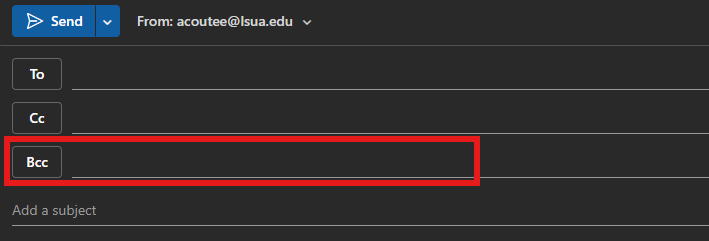
- In the new message window, select BCC on the right side of the To field.

- The BCC field will appear below the To and CC fields.
Step 3: Add Recipients
- Enter the primary recipient(s) in the To field.
- Enter any visible copy recipients in the CC field (optional).
- Enter the hidden recipient(s) in the BCC field.
Step 4: Send the Email
- Compose your message.
- Select Send.
Recipients listed in the BCC field will receive the email, but their addresses will not be visible to other recipients.