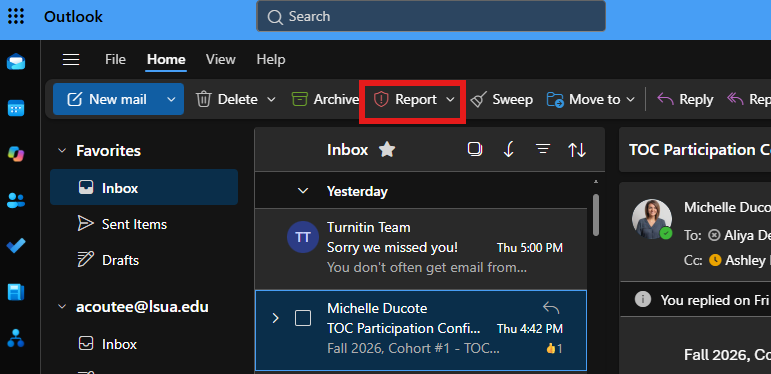
There are several ways to report emails as Junk or Phishing depending on which version of Outlook you are using.
Reporting Email in Outlook Desktop
Step 1: Select the Email
- Open Outlook.
- Click the email you want to report.
Step 2: Report the Message
- On the Home tab, select Report.
- Choose:
- Report Junk
- Report Phishing
Note: Depending on your Outlook version, the Report button may appear on the ribbon or under the More Commands (...) menu.
Step 3: Confirm the Report
- Click OK if prompted.
- The message will be submitted and may be moved to your Junk Email folder.
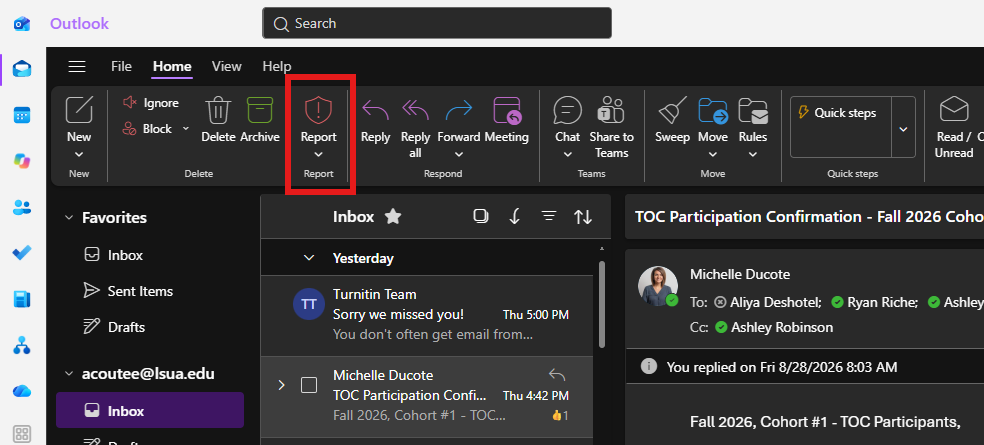
Reporting Email in Outlook on the Web (OWA)
Step 1: Open the Message
- Sign in to Outlook on the Web (OWA).
- Open the email you want to report.
Step 2: Report the Message
- Select the Report button from the toolbar above the message.
- If you do not see Report, select the More Actions (...) menu.
- Choose one of the following:
- Report Junk
- Report Phishing
Step 3: Confirm the Report
- Review the selected reporting option.
- Select Report or OK to submit the message.
The message may be moved to the Junk Email folder after it is reported.