
Rubric
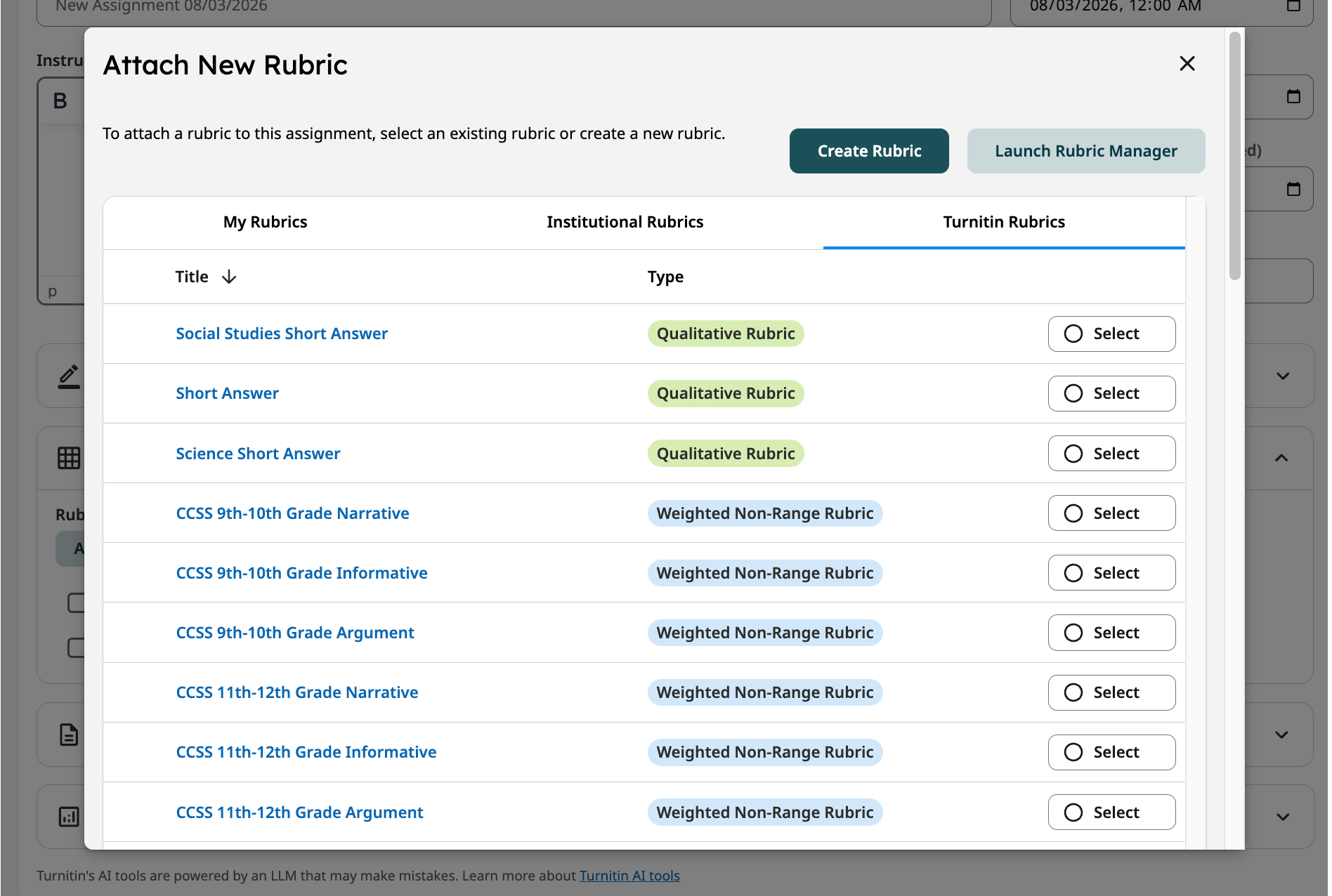
In the Rubric tab, you can create and manage rubrics to grade your assignments. These settings can be configured during assignment creation or later by editing the assignment settings.
When enabled, the AI Assistant can use the attached rubric to guide the feedback it provides to students.
Within the Rubric tab, you can:
- Locate and select an existing rubric from three categories - rubrics you have created (My Rubrics), rubrics shared across your institutional account (Institutional Rubrics), or pre-created rubrics provided by Turnitin (Turnitin Rubrics).
- Import or create a new rubric by selecting Create Rubric. View our rubric creation guidance to learn more.
- Edit existing rubrics by selecting Launch Rubric Manager.
Have existing rubrics that were created in the classic grading experience? Select Import Rubrics in the blue banner to migrate your existing rubrics into the new, enhanced grading experience so that you don’t need to recreate them.
Link to more, Clarity Rubrics - Managing Rubrics