
LSUA-NASH WIL Pilot
Getting Started with Coursera
A quick-start guide to accepting your invite and enrolling in the Google AI Professional Certificate
You've been invited to join Coursera as part of the LSUA-NASH WIL Pilot for Internships. Completing the Google AI Professional Certificate is required to be eligible for the program (first come, first served). Follow the six steps below to get enrolled.
Step 1 Find Your Invite Email
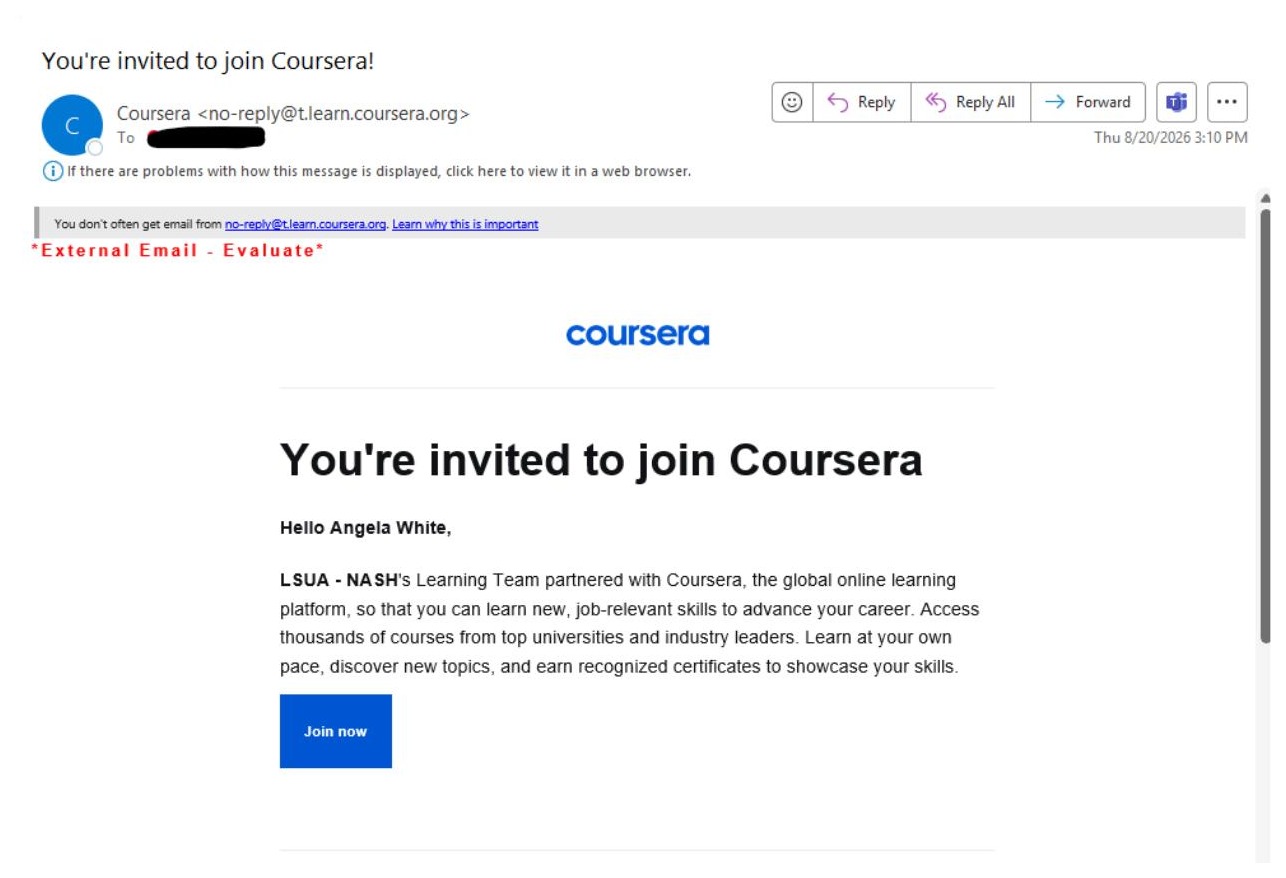
Check your inbox for an email from Coursera (no-reply@t.learn.coursera.org) titled “You're invited to join Coursera!” Open it and click Join now.
Step 2 See What Coursera Offers, Then Start Learning
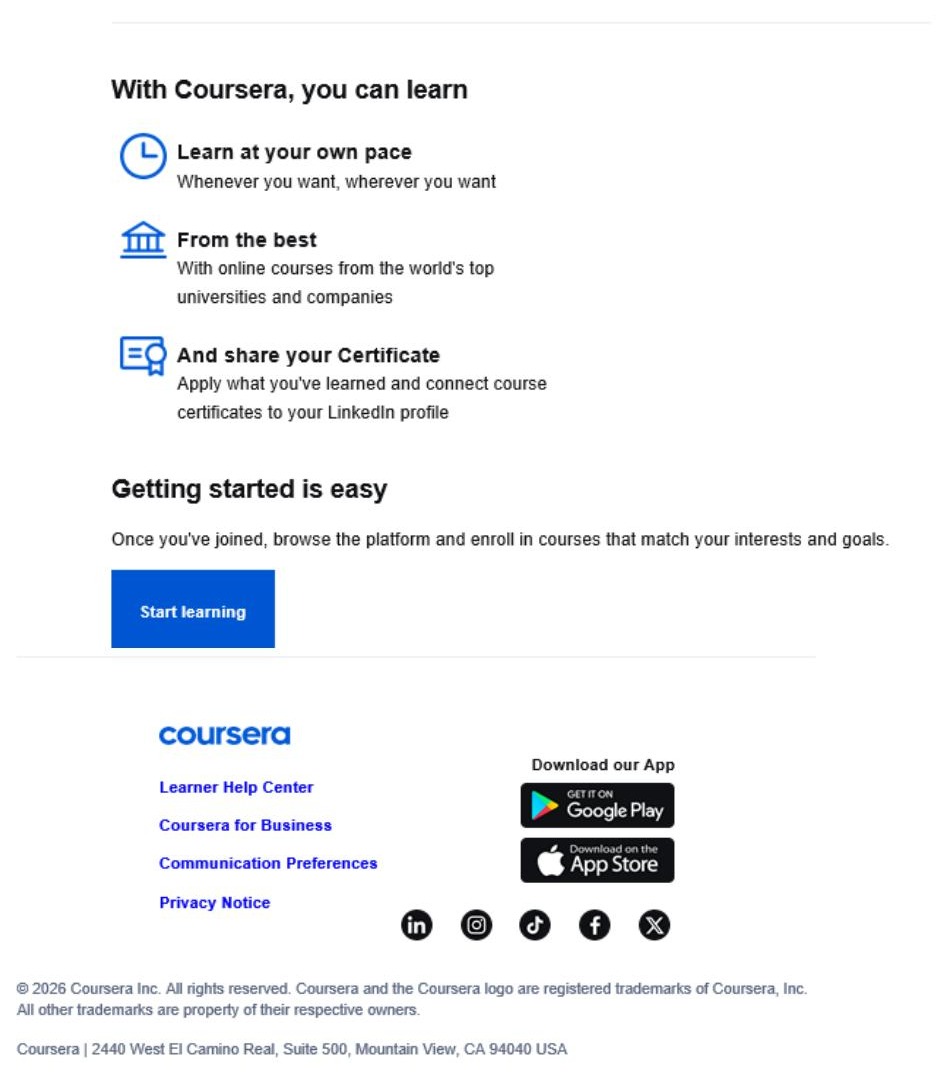
Scroll down in the same email to see what you can do on Coursera — learn at your own pace, take courses from top universities, and earn certificates. When you're ready, click Start learning.
Step 3 Accept the Terms
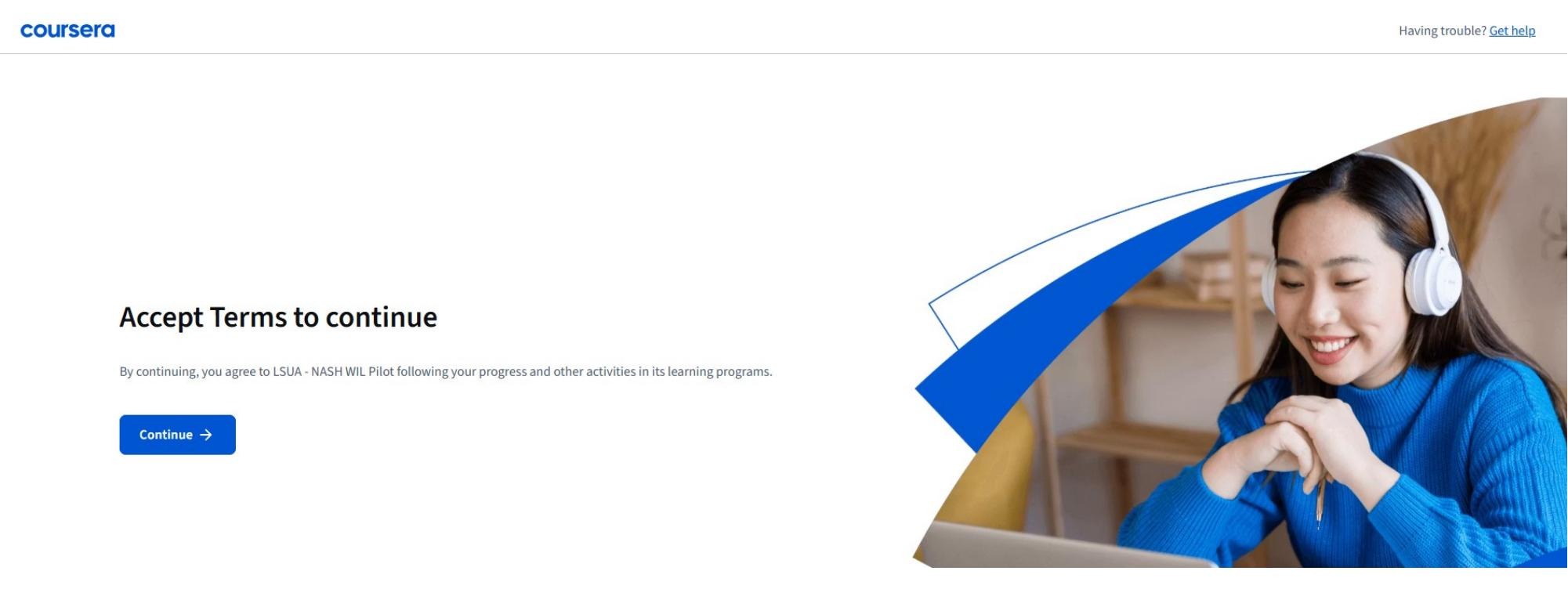
On the next screen, click Continue to accept the terms and gain access to the program.
Step 4 Find the Google AI Certificate
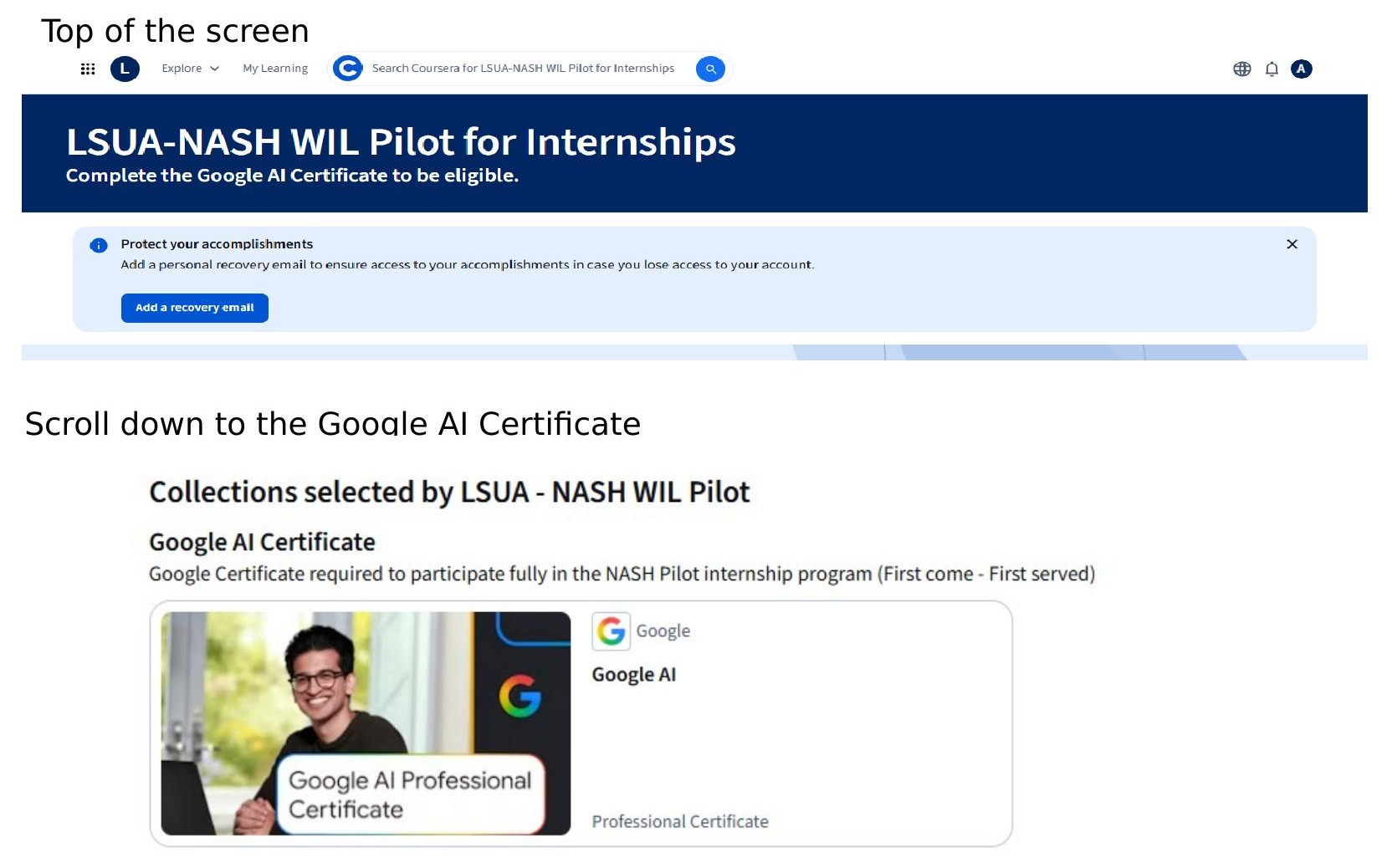
You'll land on the LSUA-NASH WIL Pilot for Internships page. Scroll down to “Collections selected by LSUA - NASH WIL Pilot” and locate the Google AI Certificate card.
Step 5 Enroll in the Certificate
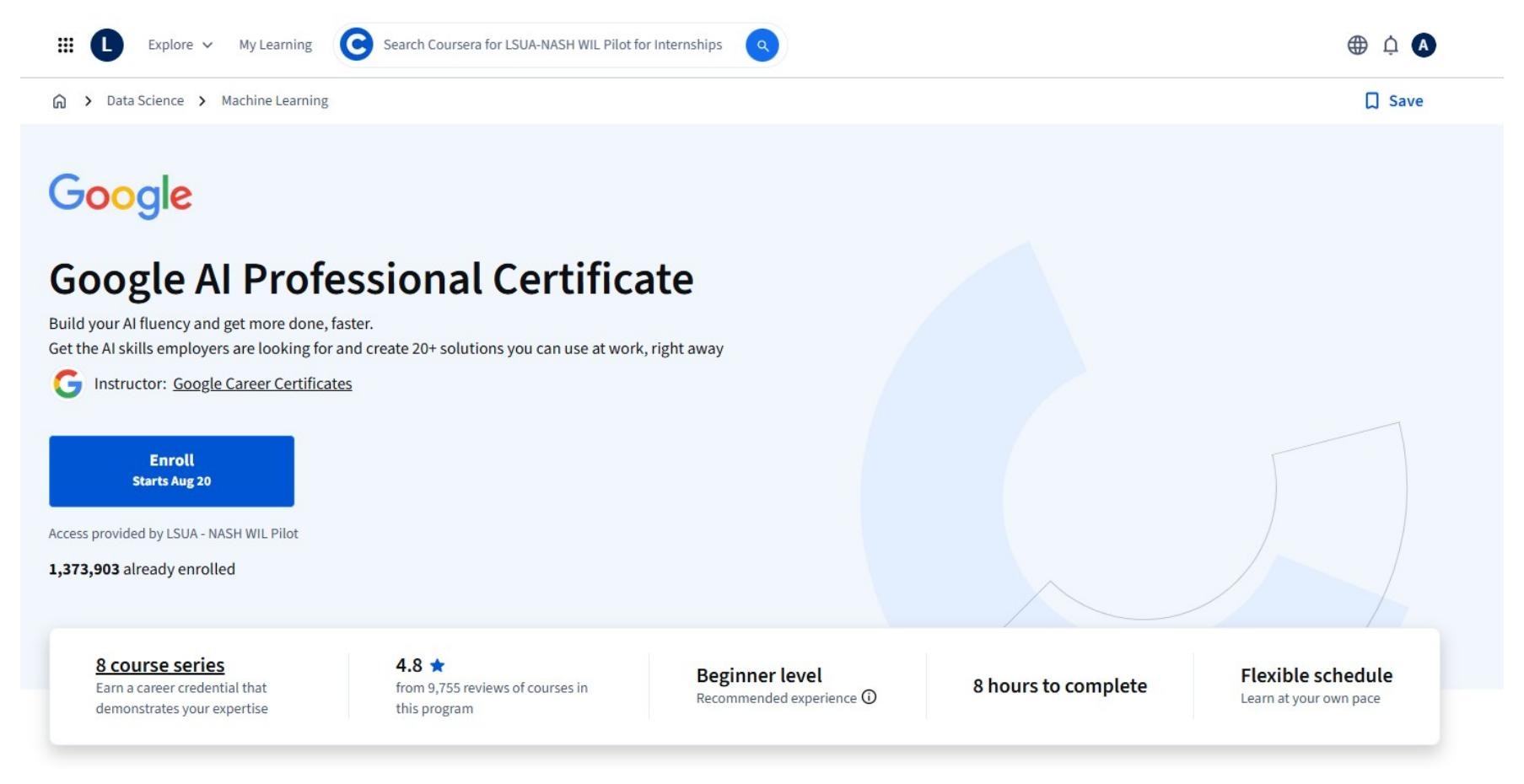
Click the Google AI Professional Certificate card to open it, then click Enroll. Remember — spots are first come, first served.
Step 6 Begin Your Coursework
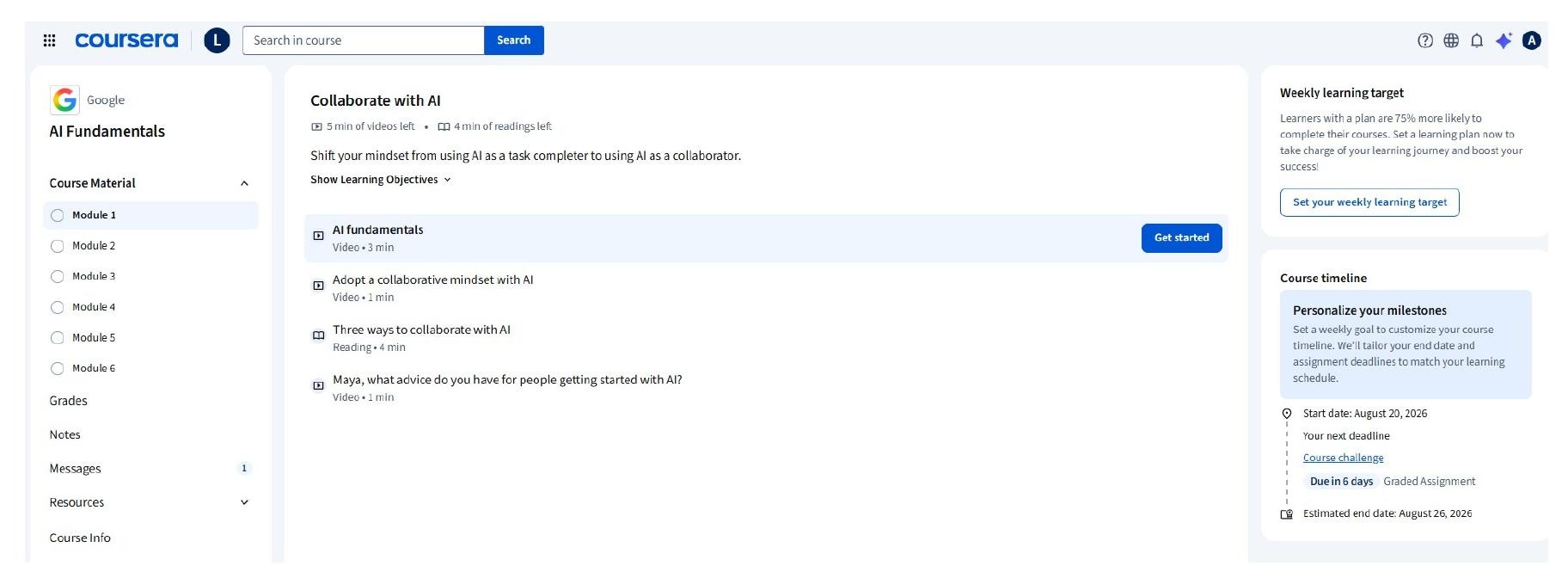
You're in! Start with Module 1 by clicking Get started next to “AI fundamentals.” Work through the modules at your own pace.
Need Help?
If you run into any trouble accepting your invite or enrolling, contact the LSUA Office of Distance Learning at ashleyr@lsua.edu.