
InScribe has a mobile app, available for both iOS and Android! From the mobile app, you can ask and answer questions and you’ll get notifications about new activity in your community. For detailed information on the features available in the mobile app, check out this resource.
1. Download the Mobile App
Search for "InScribe Education" in the Android or IOs app store.
You'll sign into the app using a "Sign In Code." This code can be generated in your community when using InScribe from a browser - like Chrome, Safari, or Firefox.
To generate the code, just follow these steps:
2. Go to your community through a web browser, the way you normally do.
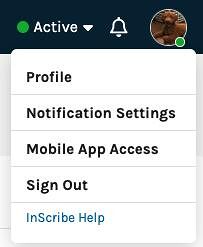
3. Click on your profile circle in the upper right corner to open the menu, then select, "Mobile App Access"
4. Click the Generate Sign In Code" button.
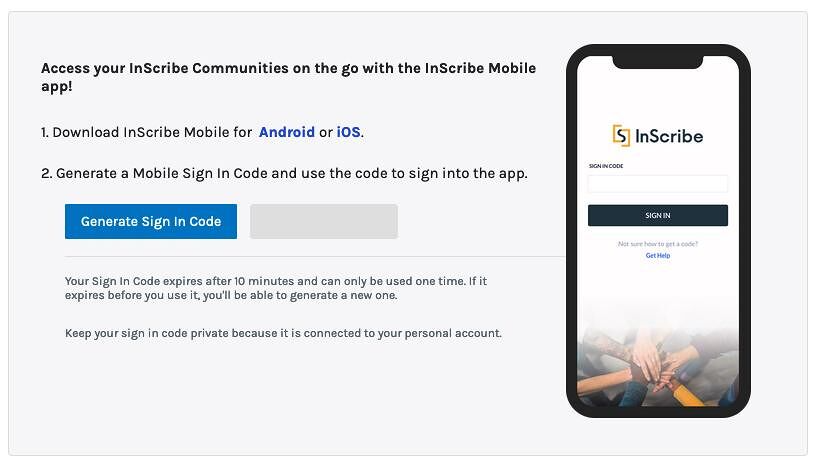
Your code will appear in the gray box to the right of the button.
5. Enter this code in the box on the "Mobile App Sign-In" Page and click the "Sign in" button.