Purpose
Professional Advisors and Retention specialist use this system so students are accustomed to locating course recs here. You will post course recommendations for each advisee in the Degree Navigator Communicator, using the Advising Notes: Course Recommendations template. Students see these notes when they plan and register, so every note should be clear, direct, and positive.
Key rules
- Use the template. (See below examples in grey boxes). Select either example of Advising Notes: Course Recommendations for every course recommendation note.
- Include the semester and year. Example: Spring 2027 or SP27.
- Recommend courses for the entire semester (ELearn 1 and ELearn 2 for 100% online OR 1Session and 2Session for campus students). Recommend only the remaining session if it is after the last day to register for the beginning of the semester.
- Keep it simple and positive. Students can see everything posted in Communicator. You can edit only notes you submitted.
What to include
How much detail to add is your call: major, course number, course name, or just the number. Both examples below are acceptable.
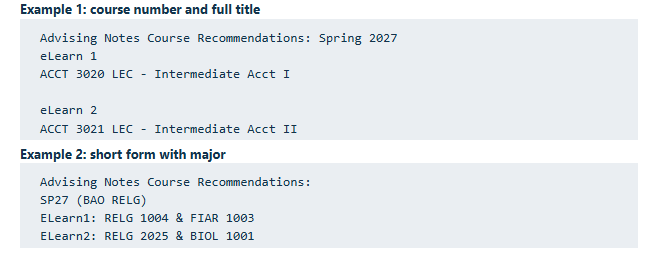
Example 1: course number and full title
Advising Notes Course Recommendations: Spring 2027
eLearn 1
ACCT 3020 LEC - Intermediate Acct I

eLearn 2
ACCT 3021 LEC - Intermediate Acct II
Example 2: short form with major
Advising Notes Course Recommendations:
SP27 (BAO RELG)
ELearn1: RELG 1004 & FIAR 1003
ELearn2: RELG 2025 & BIOL 1001
Step by step
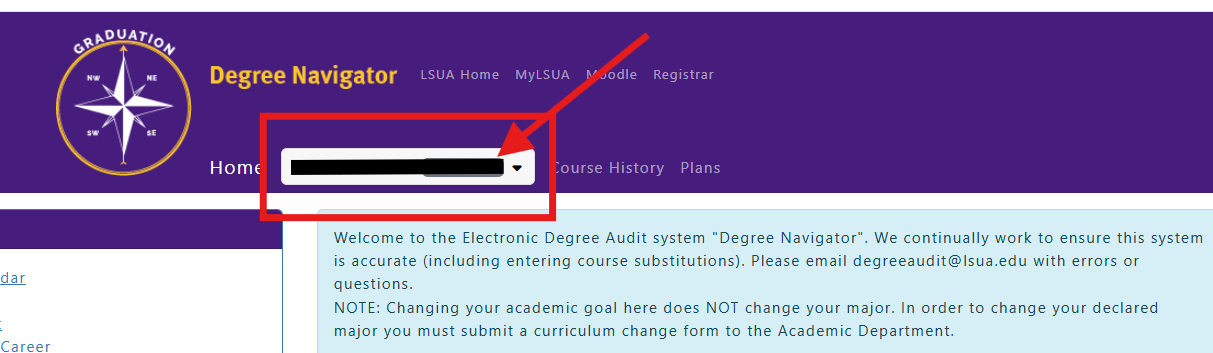
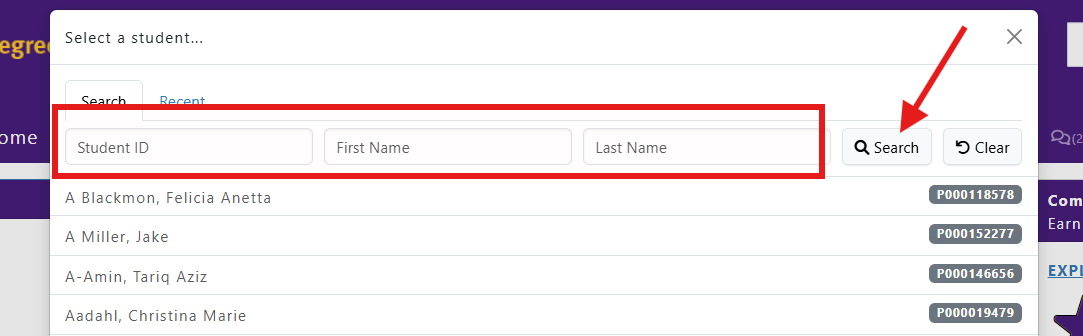
- Log in to myLSUA, click on STAFF (next to your profile picture), find and open Degree Navigator, and search for the student.
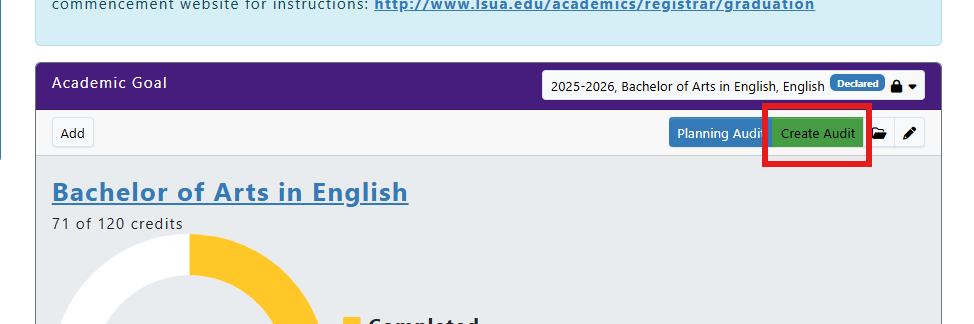
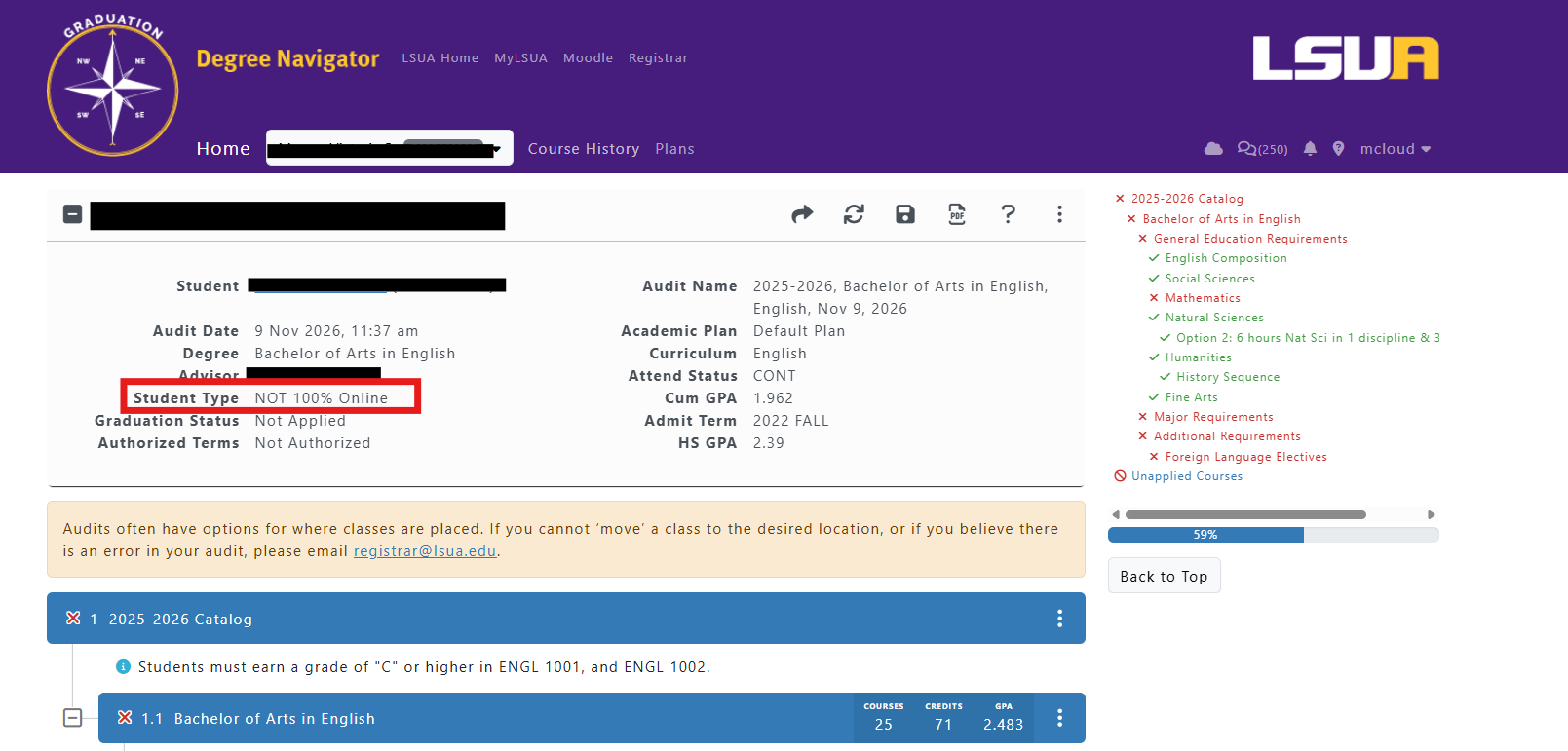
- Open the audit by clicking Create Audit – get used to viewing this page and to identify header info with Student Type
- Click the Communicator Icon button (top right of page, below the LSUA logo). It appears on the student's Welcome/Academic Goal page and inside the audit.

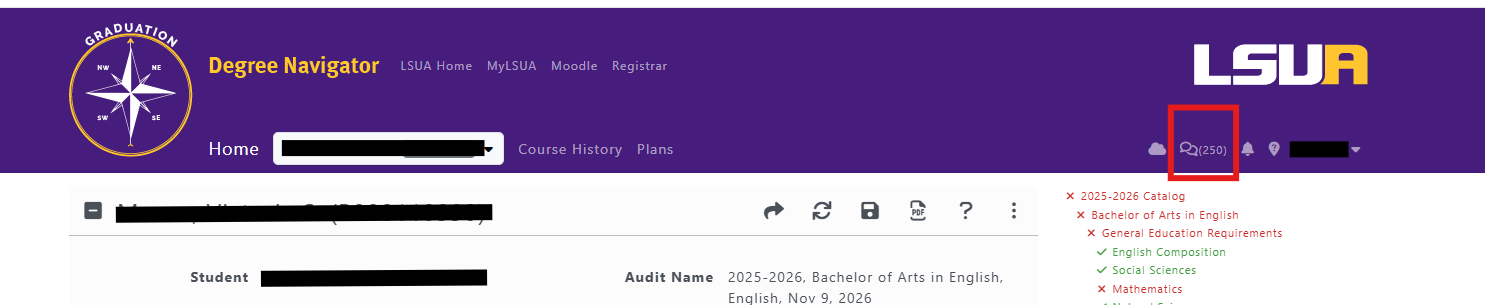
- Click New Window (Student's Name). A small pop-up opens.
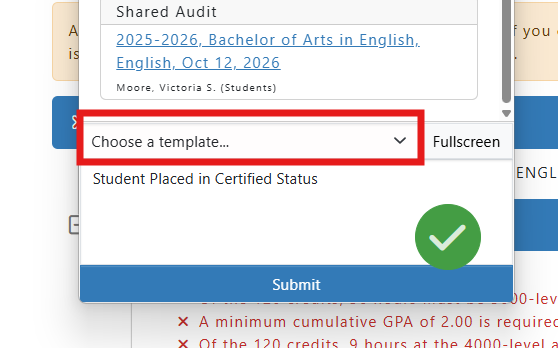
- From the template list, select Advising Notes: Course Recommendations.
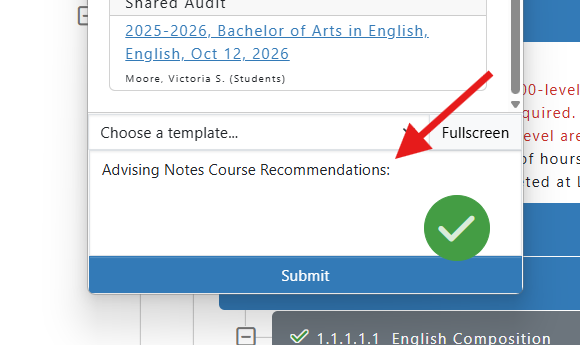
- In the message box, add the semester and year on the first line, then list the recommended courses by session (ELearn 1 and ELearn 2 for 100% online OR 1Session and 2Session for campus students). Refer back to examples in grey boxes
- Click Submit. The note posts with the date, time, and your full name.
- Close the pop-up with the X and continue working in Degree Navigator.
Before you click Submit - Double Check
- Template: Advising Notes: Course Recommendations
- Semester and year on the first line
- Courses listed for ELearn 1 and ELearn 2 for 100% online OR 1Session and 2Session for campus students or remaining session only, if past the last day to register
- Wording is clear, direct, and positive